This post is part of a series on OpenShift as a platform. We’re looking at the container foundation here, specifically what OpenShift adds on top of upstream Kubernetes and how Operators turn that into an extensible platform for everything else we’ll cover.
Kubernetes is the Engine
Kubernetes is the most widely adopted container orchestration system in the world, and OpenShift is built on top of it. But “built on top of” understates what Red Hat has done. Kubernetes is a powerful set of primitives such as a control plane, an API, a scheduler. This is the engine for managing containers on a distributed cluster. But just like your car, the engine while being maybe the most important component, won’t get you to the grocery store alone. You still need tires, a steering wheel, brakes, and a series of other things for your car to be a useful tool. Well, organizations need more than the basic Kubernetes components to run their workloads. This includes things like authentication, observability, security controls, and a console for it to be used for production.
Open-source Kubernetes leaves a lot of decisions to the implementer. Depending on your organization, your platform team with dedicated engineers, can fill in these gaps by adding tooling, but for many organizations we just want a platform to run our apps. We want the car, not just the engine.
OpenShift fills those gaps. It ships with opinionated, production ready defaults for the things Kubernetes leaves open:
- Security: OpenShift enforces Security Context Constraints (SCCs) by default. Containers cannot run as root unless explicitly permitted. Many workloads that work fine on a permissive upstream cluster will be rejected on OpenShift until they’re configured correctly. If you’re coming from vanilla K8s, your first 20 minutes on OpenShift will probably be spent wondering why your pod won’t start. It’s because OpenShift is like that overprotective parent who won’t let you leave the house without a helmet on. It might feel like a hassle at first, but it saves you from a massive headache (or security breach) later.
- Networking: OVN-Kubernetes provides the default CNI, with built-in network policy enforcement and egress IP management. Routes (an OpenShift concept predating Kubernetes Ingress) give every HTTP service a public URL out of the box.
- Image management: OpenShift ships with an integrated internal registry and image stream tracking. It can watch an upstream image for changes and trigger re-deployments automatically.
- Authentication: built-in OAuth server with support for LDAP, GitHub, OIDC, and other identity providers. RBAC is enforced cluster-wide from day one.
- The console: a full-featured web UI for developers and administrators. The user-interface contains topology views, log streaming, metrics, and pipeline visibility all in one place.
None of these are impossible to add to upstream Kubernetes. But you have to choose them, install them, configure them, integrate them, and maintain them yourself. OpenShift ships them integrated and supported.
Containers on OpenShift
Running a containerized workload on OpenShift looks very similar to Kubernetes. Deployments, Services, ConfigMaps, and Secrets work exactly the same. This is a major benefit to organizations worried about getting locked-in with any specific vendor like Red Hat. It’s still Kubernetes underneath the fancy UI and extra features. If you ever needed to re-deploy your apps on another distribution of Kubernetes like a managed service in the cloud, it should still work. Just make sure that you’re moving to a conformant Kubernetes cluster and all the main components your apps rely on will still be available to you.
Your containers running on OpenShift will have access to more ancillary tools that are necessary to run containers. Like a built-in image registry, the security controls mentioned earlier, and of course support for when things go haywire.
Operators
Think of an Operator as a Kubernetes controller that knows how to run and maintain a specific piece of software. You describe what you want through a custom resource, and the Operator handles making it happen. It works on the same principle as how Kubernetes manages Deployments and Services natively, but for anything you want to deploy.
A concrete example: installing a database on Kubernetes traditionally means writing Deployments, StatefulSets, Services, PersistentVolumeClaims, ConfigMaps, backup CronJobs, and ServiceMonitors, and then manually handling upgrades, failover, and scaling. An Operator replaces all of that with a single custom resource:
apiVersion: postgres-operator.crunchydata.com/v1beta1
kind: PostgresCluster
metadata:
  name: my-database
spec:
  instances:
    - replicas: 3
  backups:
    pgbackrest:
      repos:
        - name: repo1
          volume:
            volumeClaimSpec:
              resources:
                requests:
                  storage: 10Gi
The Operator reads that resource and handles everything else, creating the pods, configuring replication, setting up backups, managing failover, and reconciling whenever the desired state drifts from reality. The thing I really love about operators is that when you use an operator, you’re not just installing some software in your cluster, you’re usually also deploying things to manage the operation of that software throughout its lifecycle.
To be clear though, Operators are not something that is specific to OpenShift. It’s simply a pattern that was introduced by CoreOS in 2016 and has become a standard way to package and deliver complex software on Kubernetes. What is unique to Red Hat and OpenShift is OperatorHub.
OperatorHub
OperatorHub is a catalog of Operators from Red Hat, certified partners, and the community that can be used with your OpenShift cluster. Installing an Operator is a few clicks (assuming you’re using the UI): find it in the catalog, select an update channel, choose a namespace or project, and the Operator Lifecycle Manager (OLM) handles the installation and keeps it updated.
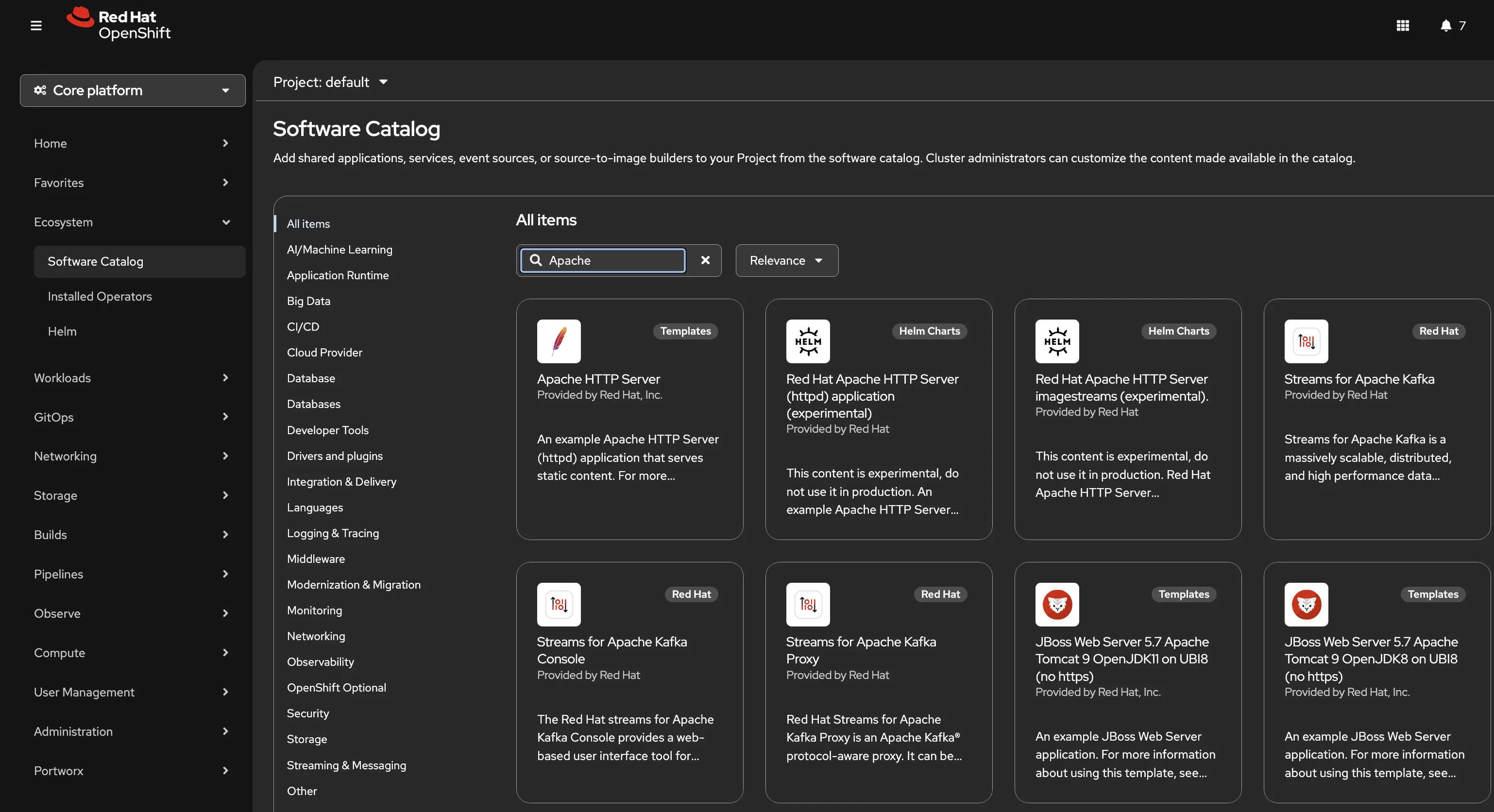
In some ways I like to think about operators and OperatorHub as a sophisticated way to install software in a Kubernetes cluster. If you’re a Linux admin, you’re no doubt used to installing curated software from a YUM repository instead of downloading an installable. In those cases a simple dnf install <app_name> would pull the app down and run it for you on your RHEL operating system. The big difference here is that with Operators we’re deploying that software across a set of hosts in a cluster, and with operators we get to have it manage the lifecycle of the app by deploying additional tools like backup jobs.
Red Hat is one of the largest contributors to the Operator ecosystem and ships OpenShift’s own components as Operators. OpenShift Pipelines, OpenShift GitOps, OpenShift AI, OpenShift Virtualization are all deployed and managed through Operators. When you install the Red Hat OpenShift Pipelines operator from OperatorHub, OLM deploys the Tekton controllers, registers the Pipeline and Task CRDs, and from that point forward you can create pipelines as Kubernetes resources. The operator keeps those controllers running and handles upgrades when a new version is available.
That’s really what makes OpenShift feel like a platform rather than a pile of components you have to wire together yourself. Everything installs through the same mechanism, lifecycle management is handled for you, and the whole catalog is right there in the console.
The Foundation Beneath Everything
At the end of the day, OpenShift runs containers. It’s the primary goal of the platform, but that simple objective provides a lot of power. Containers make our applications portable. Kubernetes keeps those containers running in the desired state. And Operators give you a standardized way to deploy and manage the more complex software that keeps those apps running.
Every capability covered in this series including: CI pipelines, GitOps deployments, developer workspaces, AI workloads, virtualization, all arrive as an Operator installed from OperatorHub. The same mechanism that manages a PostgreSQL cluster manages the Tekton controllers that run your pipelines and the ArgoCD instance that deploys your applications. Once you understand how Operators work, the rest of the platform starts to make sense as a coherent system rather than a collection of disconnected tools.
The Red Hat Platform series walks through each of those Operators in detail. What they do, how they’re configured, and how they work together on a single cluster.